
 7 mins


What Is Creative Fabrica Studio Desktop?
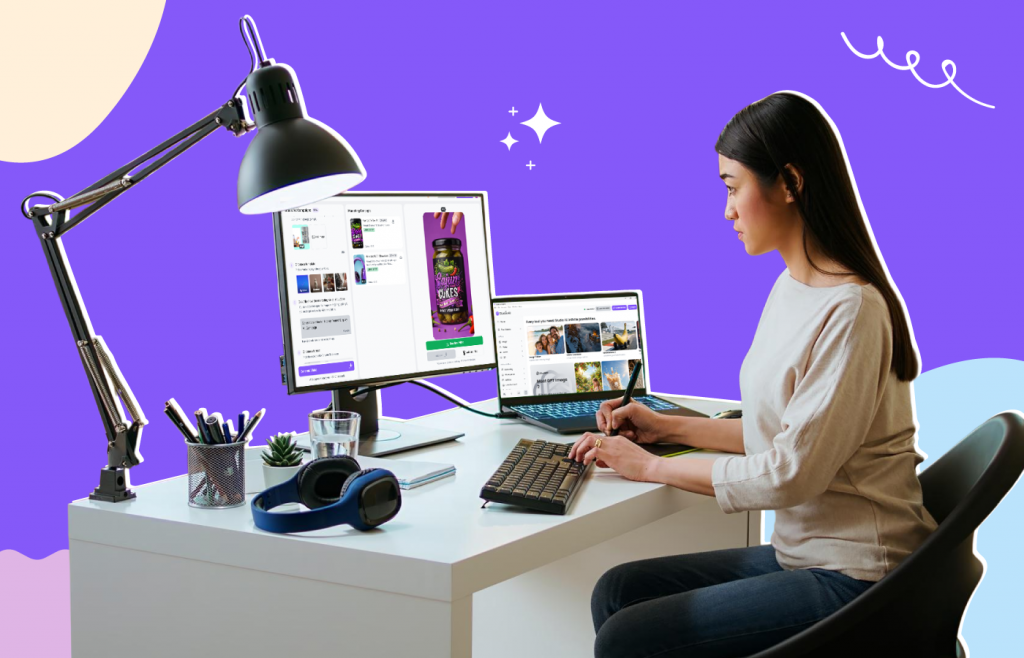
Creative Fabrica Studio Desktop is a free desktop application available for both Windows and Mac users. It combines the Creative Fabrica Studio design platform with supported local AI tools that can run directly on your computer after the required models are installed.
Unlike many browser-based editors, the desktop version allows creators to access AI-powered tools within the same workspace they already use for designing graphics, marketing materials, product listings, and creative assets.
Some of the supported local AI tools include:
- Background Remover
- AI Image Upscaler
- AI Video Generator
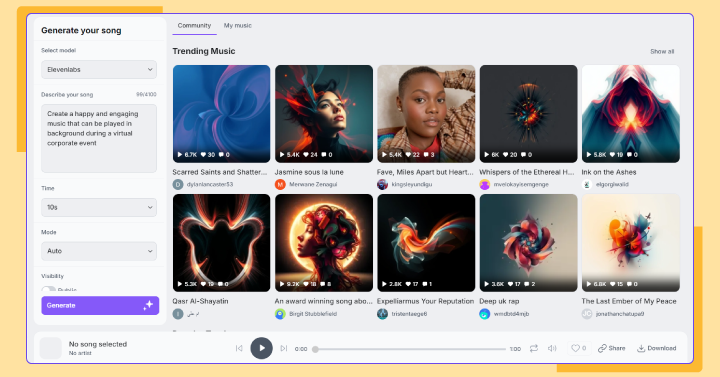
- Music Dashboard
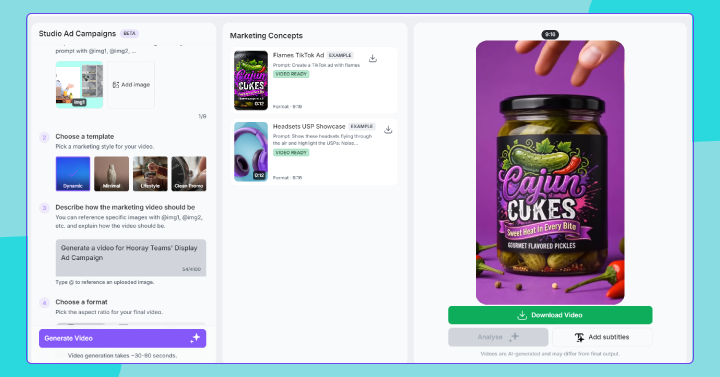
- Studio Ads Dashboard
The installation process was straightforward and only took a few minutes before I could begin exploring the available features.
Why Local AI Tools Matter for Creators
Over the past few years, AI-powered creative tools have become incredibly popular. However, many of them depend entirely on cloud processing.
For creators who regularly edit dozens—or even hundreds—of images, this approach has several drawbacks.
For example:
- Uploading every image takes time.
- Some services require monthly subscriptions.
- Others operate on a credit-based pricing system.
- Large image files can be slow to process with limited internet speeds.
Supported local AI tools offer an alternative approach. Once the required model has been downloaded, compatible features can run directly on your computer, reducing the need to upload every image individually.
For creators who value convenience and privacy, having AI tools integrated directly into a desktop workflow can be a significant advantage.
My First Look at the Desktop Experience
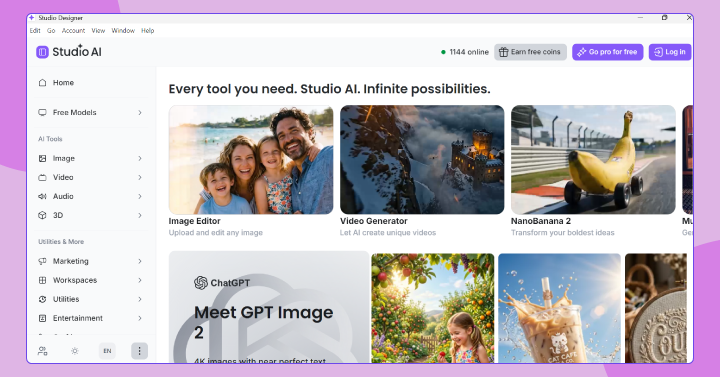
After launching the application, I found the interface clean and easy to navigate. Instead of feeling overwhelmed with dozens of menus, the available creative tools are organized into dedicated sections.
Getting started simply involved selecting the tool I wanted to use and following the on-screen prompts.
The desktop layout feels familiar even if you've previously used Creative Fabrica Studio in a browser. Everything is presented in a way that keeps the creative workflow simple without requiring advanced technical knowledge.
Creating Short Videos with AI
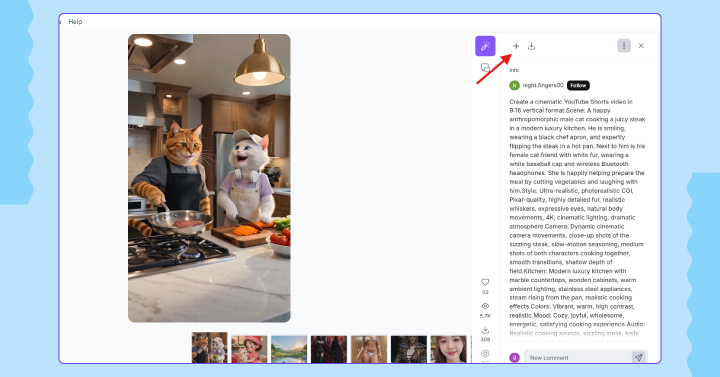
One feature that immediately stood out was the AI Video Generator.
Instead of manually editing clips, the tool allows you to describe the type of video you want to create using a simple text prompt.
For creators producing YouTube Shorts, Instagram Reels, or social media content, this can significantly reduce production time.
The application also includes Director Mode, which provides additional customization options and templates for users who want greater creative control over the final output.
Being able to move from an idea to a generated video without switching between multiple applications makes the overall process feel much more streamlined.
Managing Creative Assets in One Place
Beyond image editing, the application also includes dedicated dashboards that help organize different creative projects.
The Music Dashboard makes it easier to manage generated audio assets in one location, while the Studio Ads Dashboard provides a workspace for creating and organizing promotional content.
Instead of relying on multiple software tools, everything stays within the same creative environment.
For content creators, digital product sellers, and marketers, having these features accessible from one desktop application can simplify day-to-day creative work.
Who Can Benefit Most?
Creative Fabrica Studio Desktop isn't limited to one type of creator. Different audiences can take advantage of different features depending on their workflow.
Etsy Sellers
Preparing product listings often involves editing product photos, creating marketing graphics, and improving image quality. Background removal and image enhancement tools can help make listings look more professional.
Print-on-Demand Businesses
High-resolution artwork is essential when designing products for print. AI upscaling can help improve image quality before printing.
Cricut Users
Creators frequently need transparent PNG files for cutting projects. Background removal tools can simplify this preparation process.
Sublimation Designers
Clean, high-quality artwork is critical for producing quality sublimation prints, making image enhancement features particularly useful.
Content Creators
Video creation tools, music management, and promotional dashboards provide additional value for creators producing content across multiple platforms.
What I Liked
After exploring the desktop application, several aspects stood out.
- Free to download and use.
- Available for both Windows and Mac.
- Multiple creative tools inside one application.
- Clean and beginner-friendly interface.
- AI-powered creative workflow.
- Convenient access to supported local AI tools after installation.
Rather than juggling multiple browser tabs, everything feels centralized inside a single workspace.
A Few Things to Keep in Mind
No creative software is perfect, and it's worth knowing a few things before getting started.
- Supported local AI models may need to be downloaded before first use.
- Performance can vary depending on your computer's hardware.
- Some workflows may still require an internet connection or Creative Fabrica account.
- Older computers may process AI features more slowly than newer systems.
These aren't major drawbacks, but they're useful expectations to have before installation.
Is Creative Fabrica Studio Desktop Worth Trying?
If your creative workflow regularly involves editing images, preparing digital products, designing marketing materials, or producing social media content, Creative Fabrica Studio Desktop is certainly worth exploring.
The combination of creative design tools and supported local AI features makes it an interesting option for creators looking to simplify their workflow without constantly switching between different applications.
Because the software is free to download, there's very little barrier to trying it yourself and seeing how it fits into your own creative process.
Frequently Asked Questions
Is Creative Fabrica Studio Desktop free?
Yes. The desktop application is free to download, and no credit card is required to get started.
Does it work on Windows?
Yes. Creative Fabrica Studio Desktop is available for Windows computers.
Does it work on Mac?
Yes. A macOS version is also available.
Does the background remover run locally?
Supported local AI tools can run on your computer after the required models are installed.
Can I use it for Etsy product photos?
Yes. It can be useful for preparing product images, removing backgrounds, and improving image quality before publishing listings.
Is it useful for print-on-demand designs?
Yes. Image enhancement tools can help creators prepare artwork for higher-quality printing.
Can Cricut users create transparent PNG files?
Background removal features can help prepare transparent images suitable for Cricut projects.
Do I always need an internet connection?
Some supported local AI tools can run on your computer after installation, although certain workflows and account-related features may still require an internet connection.
Final Thoughts
Creative workflows continue to evolve, and AI tools are becoming an everyday part of how creators design, edit, and publish content. What makes Creative Fabrica Studio Desktop interesting is that it brings several of these capabilities together in one desktop application while supporting local AI tools for specific tasks.
Whether you're an Etsy seller, a print-on-demand entrepreneur, a Cricut enthusiast, or a content creator looking to streamline your workflow, the app offers a practical way to manage creative projects without constantly switching between multiple platforms. If you're looking for a free desktop solution that combines design tools with AI-powered features, it's definitely worth exploring.